Transfer notes from iPhone to Android
Install NoteBip on your new Android phone, sign in, and keep accessing and managing your notes — the move from iPhone to Android stays simple and stress-free.
NoteBip is an Android notes app. Switch from iPhone to Android without losing your notes — or keep using the Apple Notes app on your iPhone while you access and manage your notes with NoteBip on Android.
Download NoteBip now from Google Play.
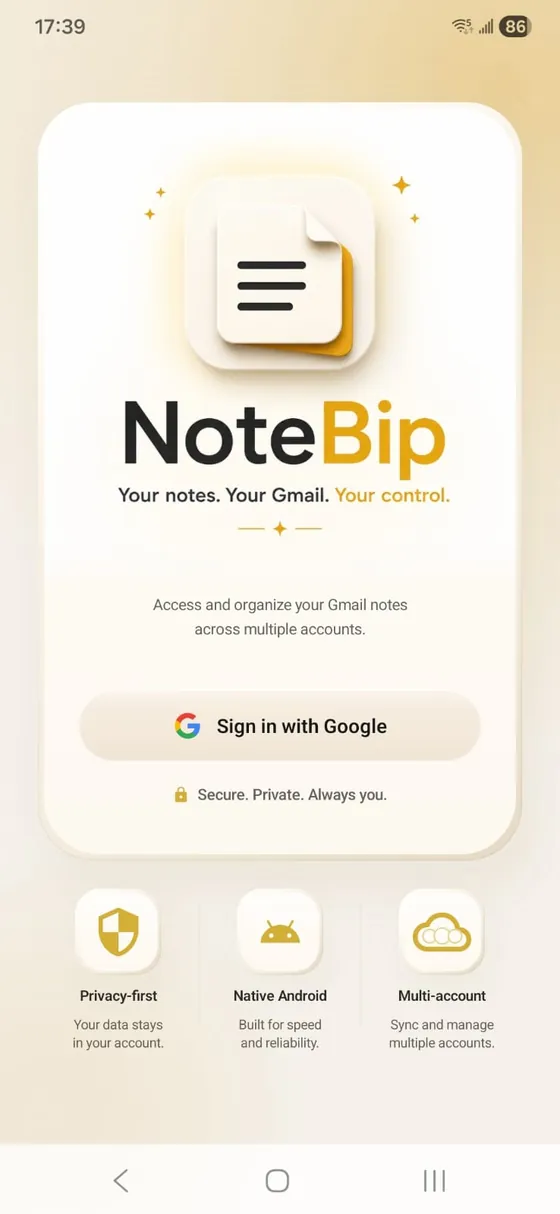
Secure. Private. Always you.
Switching from iPhone to Android?
Moving to Android shouldn't mean losing years of notes, ideas, plans, and important information.
Whether you're fully switching to Samsung or another Android phone, or keeping your iPhone and using both devices, NoteBip lets you access and manage your notes on Android — day after day, not just a one-time move. Keep using the Apple Notes app on your iPhone whenever you like.
Screenshots
Capture, organize, and access your notes across devices while keeping your data in your own Gmail account.
iPhone · iCloud · Samsung
However you take notes on your iPhone, NoteBip helps you access and manage them on Android — whether you switch fully or use both devices. Here's how it helps in each case.
Install NoteBip on your new Android phone, sign in, and keep accessing and managing your notes — the move from iPhone to Android stays simple and stress-free.
Want your Apple Notes on Android? NoteBip lets you read, edit, and organize your notes on your Android phone — while you keep using the Apple Notes app on your iPhone whenever you like.
Keep using the Apple Notes app on your iPhone while accessing and managing your notes with NoteBip on Android. Whether you're fully switching or using both devices, your notes remain available where you need them.
Got a new Samsung Galaxy? NoteBip works on Samsung and every Android phone, so you can move your iPhone notes to Samsung and keep them organized without starting over.
Notes stuck in iCloud? You can move them to your Gmail and then access and manage them on Android with NoteBip — so your iCloud notes come with you.
Why NoteBip
Most note apps keep your notes inside their own cloud. NoteBip keeps them in your Gmail account — so you own them, you control them, and you can reach them anytime.
Your notes are stored in your Gmail account. You own them. You control them. You can access them anytime — long after any app comes and goes.
Your notes are never stored on NoteBip servers. No tracking. No advertising. No data selling. Just you and your Gmail account.
Buy once and use it. No monthly bills. No surprise charges. No feature blackmail. Your notes remain available even years later.
Install NoteBip on more than one Android device — your phone, an Android tablet, and future devices. Sign in and your notes are right there, while you keep using the Apple Notes app on your iPhone too.
How it works
Getting your notes onto Android is simple. Three quick steps — whether you're fully switching from iPhone or keeping both phones and using Apple Notes on iPhone alongside NoteBip on Android.
Download NoteBip from Google Play on your new Android or Samsung phone and open it.
Sign in to get started. Your notes stay private and in your control — only you can see them.
Read, edit, and organize your notes right on Android — whether you've fully switched from iPhone or still use it alongside Android. Nothing gets left behind.
of your notes stored on our servers. They live in your own Gmail account.
monthly bills. Buy once and use it — no subscriptions, ever.
Because your notes live in your Gmail account, you're never trapped. Your data remains yours — for good.
Features
A clean, distraction-free place to capture your thoughts — with the kind of flexibility most note apps don't offer.
Write quickly in a clean, distraction-free editor. Rich text formatting, bold, italic, underline, lists, and fast editing.
Make your notes feel personal. Choose from paper-style backgrounds like Classic, Sky Mist, Canary, Peach, Mint and more.
Assign multiple tags to a note, create your own custom tags, and filter instantly. Organize work, personal, ideas, travel and more.
Mark important notes and find them again instantly later.
Create folders to organize your notes the way you want, and move notes between them whenever you need.
Connect multiple Gmail accounts — personal, work, business — and manage all your notes in one place from a single app.
Move notes between folders or even between Gmail accounts in seconds — say, from personal to work. Most note apps can't do this.
Make the app your own with a built-in avatar or your own profile photo — a small touch that makes the experience feel familiar.
Add PDFs, images, documents, receipts, screenshots, and other files to your notes. Keep the note and its related files together in one place on Android.
Why we built NoteBip
We were tired of note apps that charge subscriptions forever, store your notes on their servers, and lock your data inside their ecosystem. So we built a note app where you own your notes, you keep your data, and you control your future. Simple.
FAQ
NoteBip makes it simple. Install NoteBip on your Android phone, sign in, and you can keep accessing and managing your notes — so moving from iPhone to Android is smooth and stress-free.
Install NoteBip on your Android device and sign in — your notes are ready to access and manage. It's the easy way to keep your notes after switching phones.
No. NoteBip is built so you never have to start over. You keep your notes and stay organized when you switch from iPhone to Android.
Yes. With NoteBip you can access and manage your notes on Android, so the notes you relied on with your iPhone are right there on your new Android phone.
Install NoteBip on your Android phone and sign in to read, edit, and organize your notes on Android. NoteBip is the Android app that works alongside Apple Notes — you can keep using the Apple Notes app on your iPhone too.
Yes. You can continue using the Apple Notes app on your iPhone while using NoteBip on Android to access and manage your notes. NoteBip is not limited to old notes from a one-time transfer. It supports users who continue working across both devices.
Absolutely. NoteBip works on Samsung and other Android phones, so you can keep your notes with you when you move from iPhone to Samsung.
Yes. NoteBip runs on Samsung Galaxy and other Android phones, so you can access and manage your notes right after switching.
No. Your notes come with you. NoteBip helps you keep and manage them on your Samsung phone without starting over.
Yes. NoteBip helps you keep your iPhone notes when moving to Android, including notes that were originally stored in iCloud.
If your notes are currently stored in iCloud, you can move them to Gmail and then access and manage them on Android using NoteBip.
No. NoteBip helps you bring your notes to Android so you can keep accessing and managing them after the switch.
Move the notes you kept in iCloud over to your Gmail. Once they're in Gmail, you can access and manage them on Android with NoteBip.
Yes. Once your notes are in Gmail, install NoteBip on your Android phone and sign in to keep accessing and managing them.
Yes. NoteBip lets you attach files such as PDFs, images, documents, screenshots, and receipts to your notes, so related information stays together in one place.
You can take a photo of a document, receipt, paper note, or handwritten page with your Android camera, then attach the image to a NoteBip note.
No. NoteBip is a one-time purchase — no monthly fees and no surprise charges.
Your notes are stored in your Gmail account. You own them. You control them. No subscriptions. No lock-in. No third-party storage. Just you and Gmail.
Download NoteBip now from Google Play.